Independent guide: TriposRai is not affiliated with Tencent or Tripo. This article uses brand and model names only for factual comparison and workflow explanation. Read the full notice here: Independent Model Disclaimer.
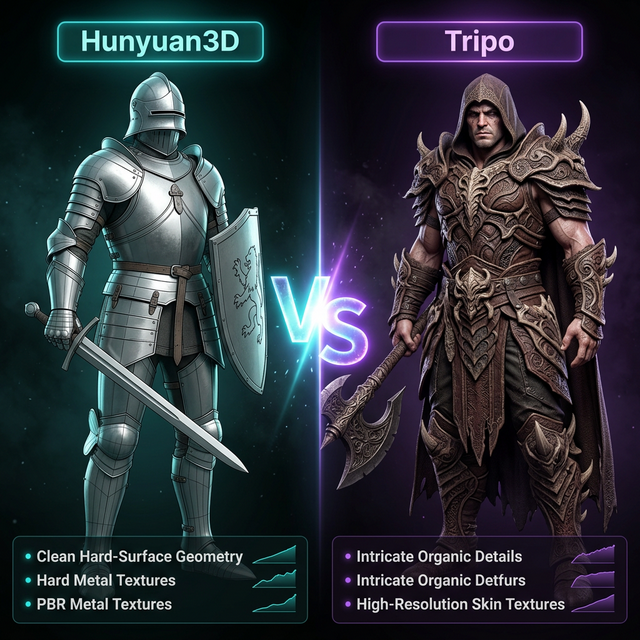
Hunyuan3D vs Tripo is not really a debate about which brand “wins.” It is a workflow question. One path often attracts creators who care about openness, wrappers, and experimentation. The other attracts creators who want a smoother productized experience and fast iteration in a hosted environment.
The right choice depends on what you need next, not on what looked strongest in a single demo clip.
If you want to compare by doing instead of reading, start with the browser entry point: Hunyuan3D Free Online Tool.
Where Hunyuan-Type Workflows Usually Appeal
Hunyuan-related searches tend to come from users who want more control over the workflow. The attraction is usually one or more of these:
- interest in open model ecosystems
- curiosity about local or wrapper-based experimentation
- desire to compare browser testing against deeper setup later
- willingness to trade some convenience for more control
That makes it attractive to technical users, evaluators, and teams that like to understand the stack instead of treating the model like a sealed black box.
Where Tripo-Type Workflows Usually Appeal
Tripo-related workflows are typically attractive when you want the shortest path from idea to visible output. Product polish, simpler entry, and faster evaluation matter a lot when the real bottleneck is decision speed rather than maximum control.
That makes Tripo a strong fit for:
- fast creative iteration
- non-technical team members
- product teams validating concepts quickly
- users who prefer managed tooling over wrapper experimentation
The Practical Difference: Control vs Friction
This is the real comparison axis.
Hunyuan-style workflows often offer more room for experimentation, wrappers, and ecosystem exploration. Tripo-style workflows often reduce setup friction and help you stay inside a more polished product path.
Neither is automatically better. The better path is the one with less wasted effort between your prompt and your next decision.
When Hunyuan Usually Makes More Sense
Hunyuan usually becomes more compelling when:
- you want to test browser and deeper workflow paths side by side
- you care about ecosystem research, wrappers, or later automation
- you want to compare open-model behavior with hosted tools
- you are comfortable with a bit more evaluation overhead
If that describes you, use the browser test first, then continue with the broader guide: Hunyuan3D 3 Guide.
When Tripo Usually Makes More Sense
Tripo often makes more sense when:
- the fastest route to a good-looking result matters most
- your team is less technical
- you want fewer decisions between prompt and preview
- you care more about product feel than ecosystem exploration
That does not mean you should stop comparing. It just means your threshold for acceptable friction is lower.
A Better Way To Compare Them
Do not compare them with one heroic prompt and a dramatic verdict. Compare them with a small repeatable test set:
- one hard-surface prop
- one stylized asset
- one image-guided reconstruction attempt
- one “could I hand this to the next step?” check
You are not looking for a universal winner. You are looking for the cheapest reliable path to your next useful asset.
What To Read Next
Use this sequence if you are actively deciding:
Final Takeaway
Choose Hunyuan first when workflow control, ecosystem exploration, and staged evaluation matter more than instant polish. Choose Tripo first when product smoothness and iteration speed matter more than deeper stack flexibility.
The fastest honest answer is still the same: run a short test, compare the failure modes, and keep the path that creates the least downstream cleanup for your use case.
Start the independent browser test here: Hunyuan3D Free Online Tool.