3D Printing & Slicer Mesh Tool
GLB to STL Converter
Turn AI-generated or web .glb models into compact Binary STL (or plain-text ASCII STL) locally in your browser — with one-click 1000× meter-to-millimeter scaling for 3D printing slicers.
Your download is ready. Continue inspecting or converting locally:
- ✓ 100% free & unlimited
- ✓ Private — zero server upload
- ✓ Instant Binary & ASCII STL
- ✓ No account or watermark
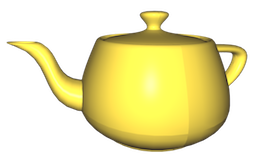
No 3D file handy? Try a classic model
Click any model to load it into the converter above and convert it instantly.
Sample models from the public common-3d-test-models repository.
 .glb in Web, AR & real-time (single file) .stl out 3D printing & CAD export
How to convert GLB to 3D-printable STL
Select STL format & unit scale
Keep Binary STL selected (~5× smaller than ASCII) and choose 1000× (m → mm) if your GLB uses standard glTF meter units, then drop your .glb file.
Inspect wireframe & millimeter bounding box
Check the live Triangles count and Output Bounding Box in millimeters. Toggle Wireframe in the 3D preview to verify surface density.
Export STL for your slicer
Click Convert to Binary STL and download your .stl file — ready to slice in Bambu Studio, OrcaSlicer, PrusaSlicer, Cura or Chitubox.
GLB vs STL: Web PBR Container vs Slicer Triangle Mesh
| Specification | GLB | STL |
|---|---|---|
| Geometry representation | Indexed binary glTF 2.0 triangle buffers | Binary STL (50 B/tri) or ASCII STL facets |
| Typical 50,000-triangle size | 1.5 – 6 MB (depends on embedded textures) | 2.38 MB Binary STL (~13.5 MB ASCII STL) |
| Coordinate units | Meters by Khronos glTF 2.0 spec | Unitless (slicers assume mm · 1000× toggle provided) |
| Surface normals | Vertex normals | Computed facet normals per triangle |
| PBR textures & normal maps | Embedded PNG / JPEG / WebP maps | Stripped (STL stores bare geometry only) |
| Vertex color & UV maps | Supported | Not stored in standard STL |
| Skeletal rigging & animation | Supported (skins, morphs, keyframes) | Dropped (static rest-pose mesh exported) |
| Browser safety limit | Self-contained .glb up to 100 MB | Up to 1,000,000 Binary STL triangles locally |
3D Printing Slicer Checklist: Binary Size, m → mm Scale & Watertightness
Most online GLB-to-STL converters dump unscaled ASCII text files that import at 0.1 mm or stall desktop slicers. Use this engineering checklist before sending AI-generated or game-ready GLB assets to an FDM or resin printer:
| Slicer Factor | GLB → STL Technical Behavior | Recommended Action |
|---|---|---|
| Binary vs ASCII STL encoding | Binary STL stores an 80-byte header + 4-byte triangle count + 50 bytes per triangle; ASCII STL writes ~270–320 characters of text per triangle. | Keep Binary STL selected (default) — files are ~5× smaller and load 4–6× faster in Bambu Studio, OrcaSlicer, PrusaSlicer and Cura. |
| glTF meters vs slicer millimeters | Khronos glTF/GLB defines 1 unit = 1 meter, so a 15 cm figurine measures 0.15 units. STL has no unit header, so slicers read 0.15 as 0.15 mm. | If our telemetry bar warns that your model spans under 5 units, click Apply 1000× (m → mm) so 0.15 m exports as an exact 150.0 mm STL. |
| Non-manifold AI 3D shells | GLB generators (TripoSR, Meshy, Hunyuan3D, Rodin) sometimes leave pinholes, internal cavities or self-intersecting faces that STL preserves verbatim. | After importing into Bambu Studio, OrcaSlicer or PrusaSlicer, run Right-Click → Fix Model (or Blender 3D-Print Toolbox → Make Manifold) before slicing. |
| Fake detail in normal maps | Game and AI GLBs often bake fine scales, pores or panel lines into a 2D normal map texture rather than actual polygon vertices. | Toggle Wireframe in the preview above — only real 3D vertex relief transfers into STL; painted textures and normal maps are discarded. |
When to convert GLB to STL
AI 3D generators to FDM & SLA printing
Most image-to-3D and text-to-3D platforms export textured GLB by default. Convert locally to Binary STL so Bambu Studio, OrcaSlicer, PrusaSlicer, Cura and Chitubox can generate supports and G-code.
True-scale millimeter handoff
Eliminate the classic tiny-model slicer bug by multiplying meter-authored glTF coordinates by 1000× during export while verifying exact X × Y × Z dimensions beforehand.
CAD & Boolean mesh remixing
Strip web materials, rigs and scene-graph wrappers into a clean single-shell triangle STL ready for Boolean cuts, peg holes or baseplate mounting in Blender, Meshmixer, Tinkercad or Fusion 360.
Zero-upload prototype privacy
Keep custom tabletop miniatures, unreleased industrial enclosures and client scans strictly inside browser RAM — no cloud queue, no account wall, and zero server retention.
Why convert GLB to Binary STL locally?
Binary glTF (.glb) is the universal delivery format for web viewers, AR Quick Look, game engines and modern AI 3D reconstruction models such as TripoSR, Hunyuan3D and TRELLIS — bundling geometry, PBR materials, textures and hierarchy into one file. However, 3D printing slicers and CNC/CAM preprocessors are built around bare surface meshes and often reject GLB files outright or misread their meter-based coordinates.
Converting GLB to Binary STL extracts every visible mesh primitive in your scene, bakes node transforms, computes facet normals, and packs the result into the compact 50-byte-per-triangle binary format expected by every FDM and resin slicer. If you need human-readable facet coordinates for academic scripts or legacy parsers, you can switch to ASCII STL in one click — and our exporter automatically updates your download without reloading the file.
About Binary glTF (.glb)
GLB is the binary form of glTF: a single self-contained file that packs geometry, PBR materials, textures and animation together. It is the preferred delivery format for the web, AR Quick Look and game engines because it loads fast and never loses its textures.
About STereoLithography (.stl)
STL describes a 3D surface as a simple mesh of triangles. It is the universal language of 3D printing and CAD export, supported by every slicer and printer — but it stores only raw geometry, with no color, material or texture data.
Compatible STL software & slicers
The exported Binary or ASCII STL opens directly in every major FDM/SLA slicer and mesh editor:
- Bambu Studio
- OrcaSlicer
- PrusaSlicer
- UltiMaker Cura
- Chitubox
- Lychee Slicer
- Blender
- MeshLab
- Fusion 360
- Tinkercad
Pro tips for clean GLB → STL 3D prints
- Watch the Output Bounding Box readout. If your loaded GLB reports 0.12 × 0.08 × 0.18 mm at 1×, it was authored in meters — switch Slicer Scale to 1000× (m → mm) before downloading.
- Inspect Wireframe for real relief vs painted textures. Fine details that exist only in GLB albedo or normal-map images will appear smooth in STL; subdivide and displace in Blender if you need physical texture.
- Check wall thickness after scaling. Thin capes, antennas, fingers or zero-thickness planes common in game GLBs may fall below a 0.4 mm nozzle width — enable Detect Thin Walls or solidify in Blender before printing.
- Keep your original .glb file. Conversion to STL is intentionally one-way for geometry fabrication; retain the source GLB whenever you still need PBR materials, UVs or animations.
Frequently asked questions
Should I choose Binary STL or ASCII STL for 3D printing?
Choose Binary STL (selected by default). Binary STL uses a fixed 50-byte record per triangle after an 80-byte header, making it roughly 5× smaller and much faster to open in Bambu Studio, OrcaSlicer, PrusaSlicer, Cura and Chitubox than plain-text ASCII STL — with identical geometric precision. Use ASCII STL only if you need to inspect raw facet coordinates in a text editor or custom script.
Why does my converted GLB look microscopic (under 2 mm) in Cura or Bambu Studio?
The glTF 2.0 / GLB specification defines 1 coordinate unit as 1 meter, so a 12 cm model has coordinates around 0.12. Because the STL format stores raw numbers without a unit header, 3D printing slicers interpret 0.12 as 0.12 millimeters. Select 1000× (m → mm) in the Slicer Scale toggle above before downloading (or scale by 100000% inside your slicer) to get exact millimeter dimensions.
Are GLB colors, PBR textures or normal maps saved in STL?
No. Standard STL stores 3D triangle facets and normals only — albedo colors, metallic/roughness maps, UV coordinates, normal-map bumps and animations are stripped during export. Toggle Wireframe in the 3D preview above to confirm that surface details are sculpted into actual mesh vertices rather than painted onto flat textures.
Will an AI-generated GLB (from TripoSR, Meshy or Hunyuan3D) automatically become watertight in STL?
Format conversion translates existing triangles into STL without altering mesh topology. Most modern AI 3D generators output closed shells, but if a source GLB has boundary holes or self-intersections, run Right-Click → Fix Model in Bambu Studio / PrusaSlicer or Make Manifold in Blender's 3D-Print Toolbox before printing.
What is the maximum GLB file size and triangle count supported?
This in-browser converter accepts self-contained .glb files up to 100 MB and exports up to 1,000,000 triangles in Binary STL (or 250,000 triangles in ASCII STL to prevent browser text-memory spikes). Everything runs locally on your device.
Are my 3D models uploaded to any server?
Never. Parsing, 3D previewing, unit scaling and Binary/ASCII STL generation run 100% client-side inside your browser tab using Three.js. Your .glb file and exported .stl never leave your computer.